OMNIDOC
A BEAUTIFUL, FAST, CROSS-PLATFORM UNIVERSAL DOCUMENT VIEWER
MARKDOWN · PDF · OFFICE · CODE · IMAGES · VIDEO — ONE APP
MULTI-FOLDER WORKSPACE · COLOR-CODED TABS · COLOR-CODED TERMINALS
CLICK IMAGE TO EXPAND
★ THE STORY ★
NO DESKTOP.
NO LAPTOP.
JUST A PHONE.
OMNIDOC WAS BUILT ENTIRELY ON A PHONE USING CLAUDE CODE.
NO DESK. NO LAPTOP. NO DESKTOP IDE. JUST A PHONE AND AN AI PAIR PROGRAMMER.
FIRST COMMIT
On a train from Frankfurt to Mainz. Phone in hand. No desk, no chair, no laptop.
MID-BUILD
Coded between movie scenes. Late night couch sessions. Waiting rooms. Commutes.
LAST COMMIT
Deep in a forest on a hike. Phone open, Claude Code running. Shipped.
THE STACK
One phone. Claude Code. Zero desktop. Zero laptop. Zero traditional IDE.
THIS IS WHAT DEVELOPMENT LOOKS LIKE NOW.
★ GAME CHANGER ★
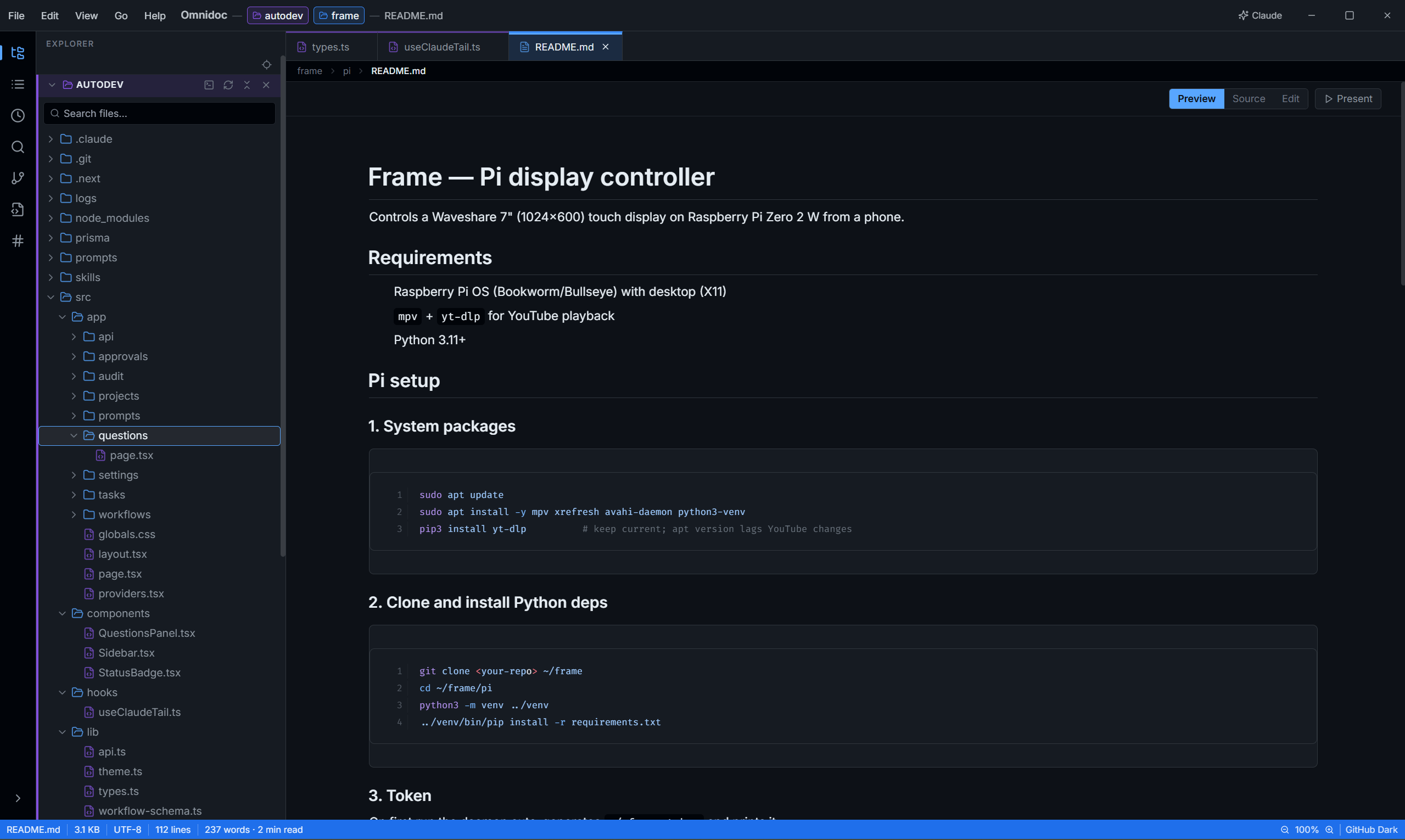
MULTI-FOLDER WORKSPACE
OPEN MULTIPLE PROJECTS AT ONCE — EACH WITH ITS OWN COLOR.
VS CODE DOESN'T DO THIS. OTHER IDES DON'T EITHER.
FOLDER COLOR
Each workspace folder gets a unique color. One glance — you know where you are.
TABS FOLLOW
Every tab inherits its folder's color. Switch between projects without thinking.
CLI TIED IN
Terminal sessions match the same folder color. Your whole context is color-coded.

Multiple Folders — Each with its Own Color
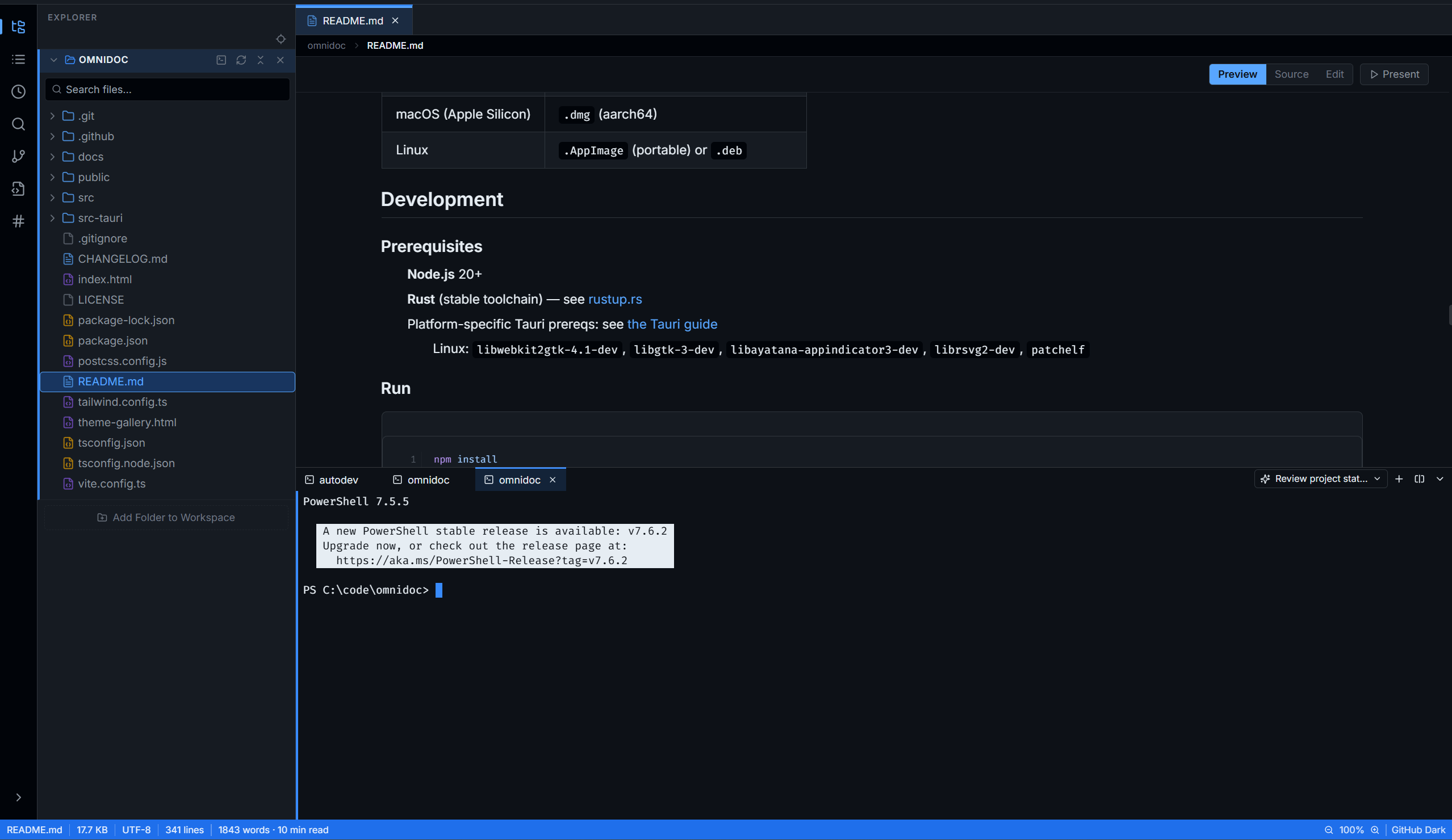
Tabs & Terminals — Same Color as the Folder
★ POWER-UPS ★
FEATURES
> WORKSPACE
MULTI-FOLDER
Open multiple projects at once. Each folder gets its own color — tabs and terminals follow.
FUZZY SEARCH
Ctrl+P — instant fuzzy file search across the entire workspace.
GIT STATUS
File tree shows modified, untracked, staged, renamed, deleted, ignored — polled every 5s.
TABS
Pinnable, reorderable, session-restored. Color-coded by folder.
STARRED FILES
Collapsible starred section. Persisted across sessions.
BREADCRUMB
Click folder segment to reveal in tree. Click filename to copy path.
FILE OPS
Create, rename (F2), delete, cut/copy/paste in tree. Auto-rename on collision.
LIVE RELOAD
File changes on disk? Omnidoc reloads automatically.
SESSION RESTORE
Reopens your tabs and workspace exactly as you left them.
DRAG & DROP
Drop files or folders directly onto the window.
> MARKDOWN
EDIT + PREVIEW
Toggle between Preview, Source, and Edit. Formatting toolbar with shortcuts.
TABLE OF CONTENTS
Sidebar TOC with scroll-sync highlighting.
FRONTMATTER
YAML frontmatter panel with inline editing, tag pills, date formatting, draft badge.
TAGS PANEL
Workspace-wide tag crawling (#tags + frontmatter). Filter and drill-down to files.
HEADING FOLDING
Collapse H1–H4 headings. Ctrl+Click to toggle all. Per-file state.
MATH + DIAGRAMS
KaTeX math ($inline$ and $$block$$). Mermaid flowcharts, sequence, ER diagrams.
CALLOUTS
Obsidian-style > [!NOTE], [!WARNING], [!TIP], [!DANGER] and more. Collapsible.
PRESENTATION
Ctrl+Shift+P — fullscreen slide deck split on ---. Arrow keys navigate.
EXPORT TO PDF
Print-stylesheet export. Hides chrome, serif typography, proper page breaks.
> CODE & DATA
SYNTAX HIGHLIGHT
Shiki — 100+ languages, per-theme palettes. Toggleable line numbers.
JSON VIEWER
Collapsible tree with raw/tree toggle and path-copy.
YAML / TOML
Parsed syntax-highlighted tree viewer.
CSV / TSV GRID
Virtualized grid — handles large files without choking.
EXCEL VIEWER
Styled table rendering with sheet tabs. Styles preserved.
COPY CODE
Copy-to-clipboard on every code block, always visible.
> DOCUMENTS & MEDIA
Zoom in/out/fit-width, page input, Prev/Next, PageUp/Down, selectable text.
WORD / DOCX
Styled rendering close to the original document.
EXCEL / XLSX
Sheet tabs, cell styles preserved.
POWERPOINT
Slide-by-slide PPTX viewer.
IMAGE VIEWER
Fit/Actual toggle, drag-to-pan, info panel (dimensions, size, format), transparency checkerboard.
VIDEO VIEWER
Native HTML5 playback. Shows filename, dimensions, duration, size, format.
ZIP ARCHIVES
Directory tree, totals (files, size, ratio), one-click Extract. Zip-slip protected.
SUBTITLES
.vtt and .srt — cue-by-cue viewer.
HTML / SVG
Sandboxed iframe rendering.
> THEMES & TYPOGRAPHY
BUILT-IN THEMES
GitHub Light/Dark, Dracula, Nord, Tokyo Night, Solarized Light, Catppuccin Mocha.
SYSTEM AWARE
Respects OS dark/light preference automatically.
CUSTOM THEMES
Token-based theming — ~30 CSS vars. Write your own or install via plugin.
TYPOGRAPHY
Inter for UI, Fira Code for mono — both bundled. No web font downloads.
CONTENT ZOOM
Ctrl+= / Ctrl+- / Ctrl+0 or Ctrl+wheel. Applies across all viewers.
> PRODUCTIVITY
ZEN MODE
Ctrl+Shift+Z — hides all chrome, centers content. Pure focus.
TERMINAL
Multi-tab terminal sessions, color-coded to match folder. Built in.
CLAUDE CHAT
First-class AI assistant integration — built right into the app.
NATIVE SPEED
Tauri + Rust backend. ~10 MB installer. Instant cold start.
SPLIT VIEW
Resizable sidebar/viewer split via allotment.
KEYBOARD FIRST
Full keyboard navigation. Every action has a shortcut.
> PLUGIN API
CUSTOM VIEWERS
Register viewers for new file extensions — HTML string or React component.
COMMANDS
Register commands with optional keyboard shortcuts.
SIDEBAR PANELS
Add your own sidebar panels with full DOM access.
STATUS BAR
Add custom status-bar items.
THEMES
Ship themes as plugins. Flat object of ~30 CSS vars.
★ GALLERY ★
SCREENSHOTS
CLICK ANY IMAGE TO EXPAND
> THEMES
Dark Theme
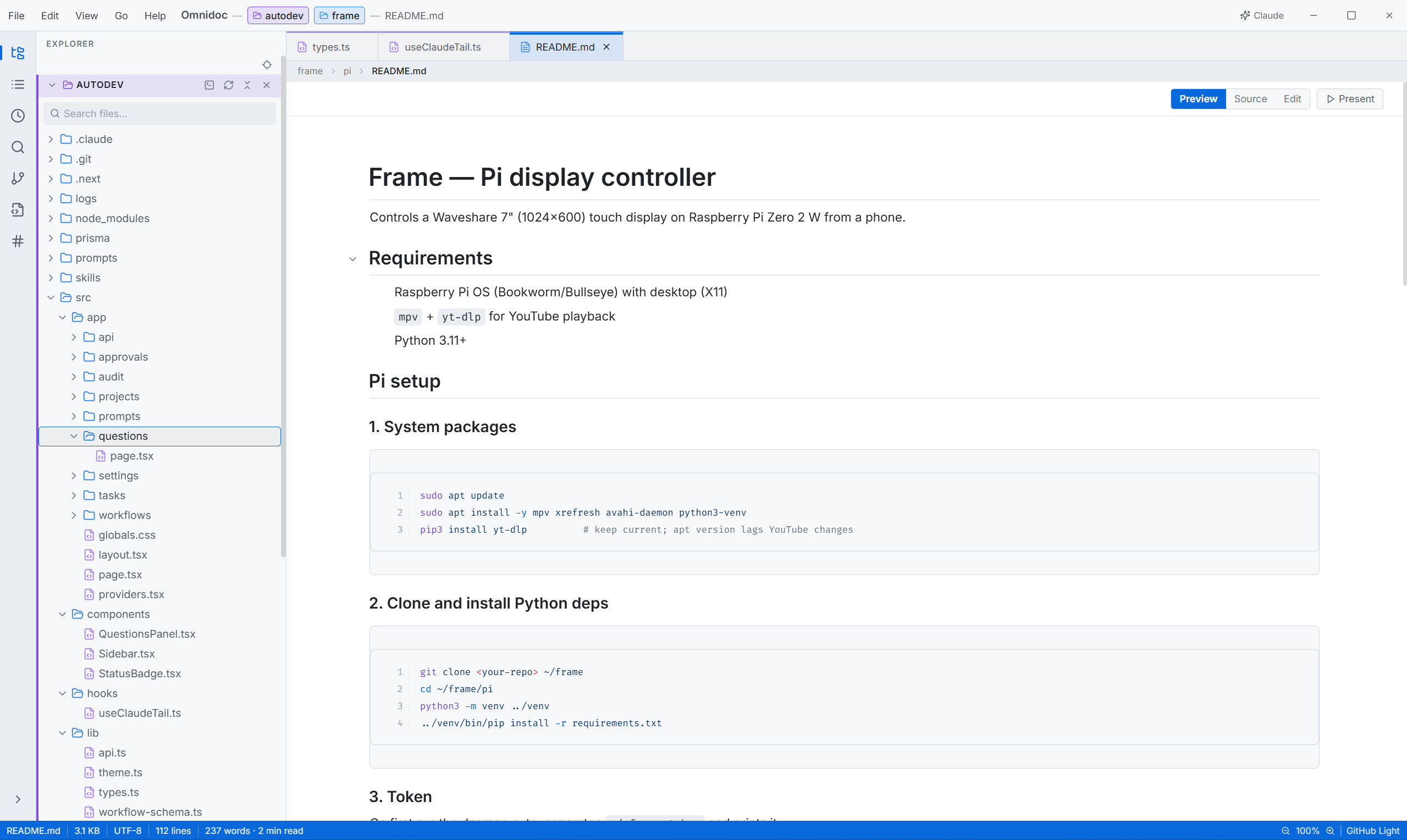
Light Theme
> WORKSPACE
Multiple Folders
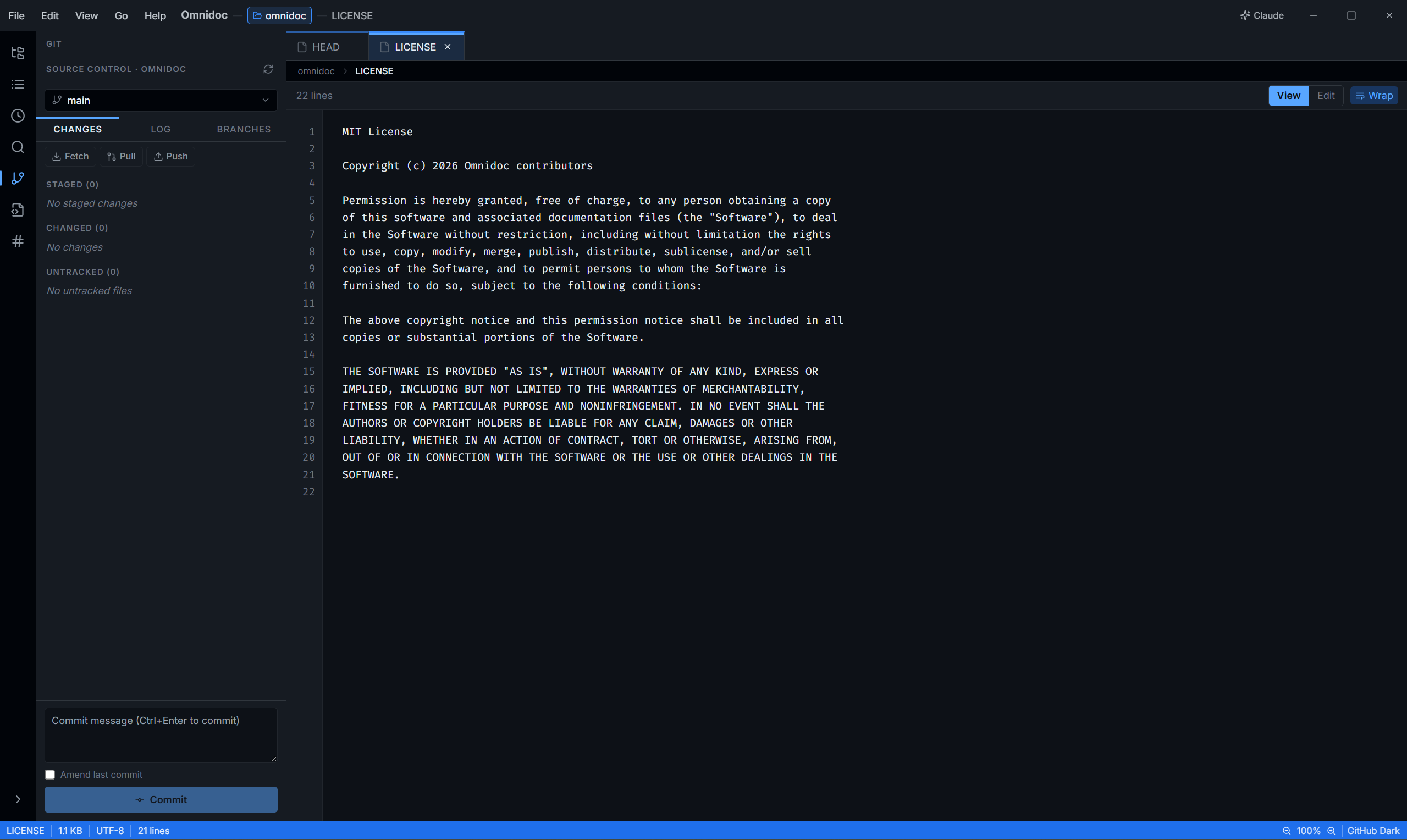
Git Status Indicators
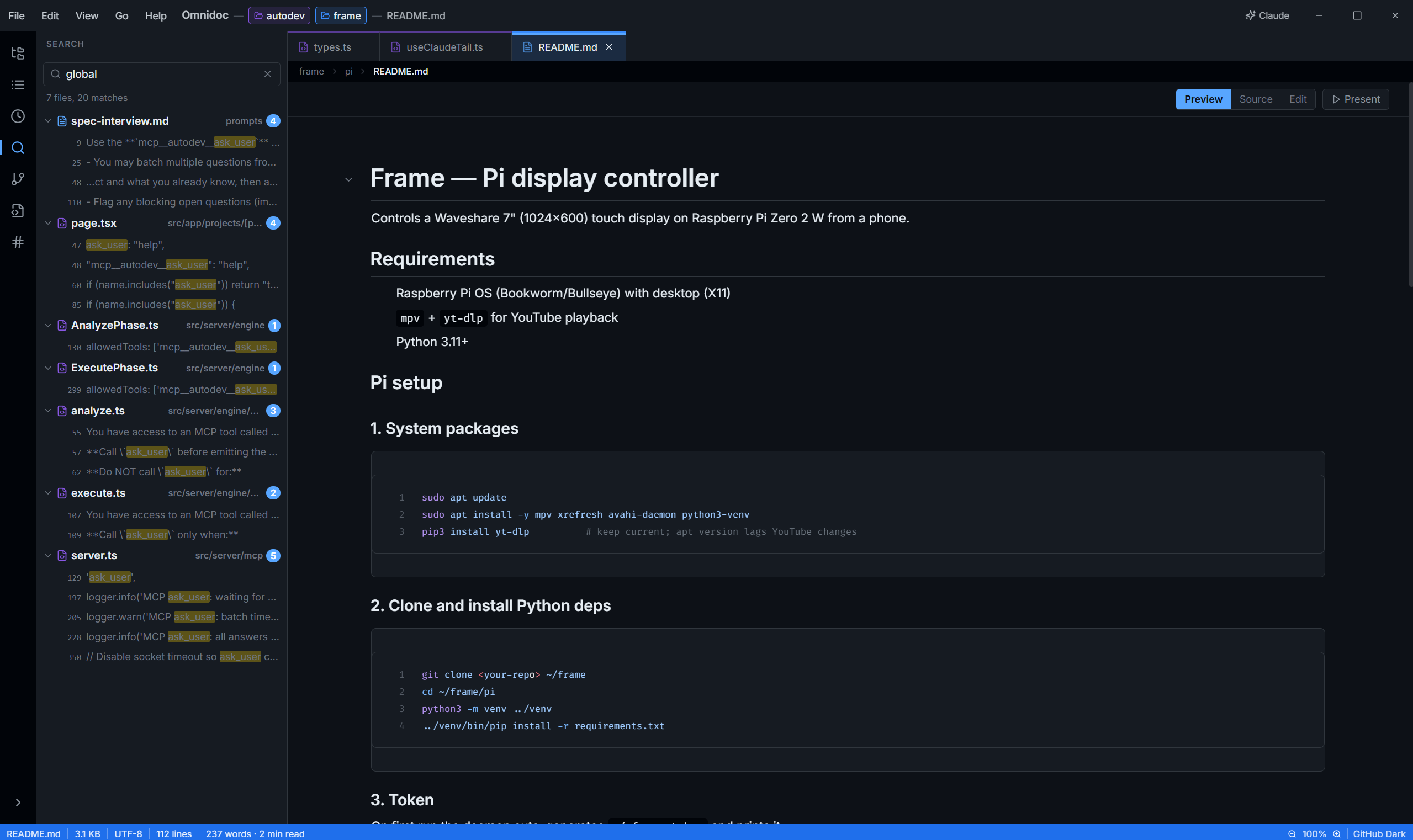
Global Fuzzy Search
> MARKDOWN
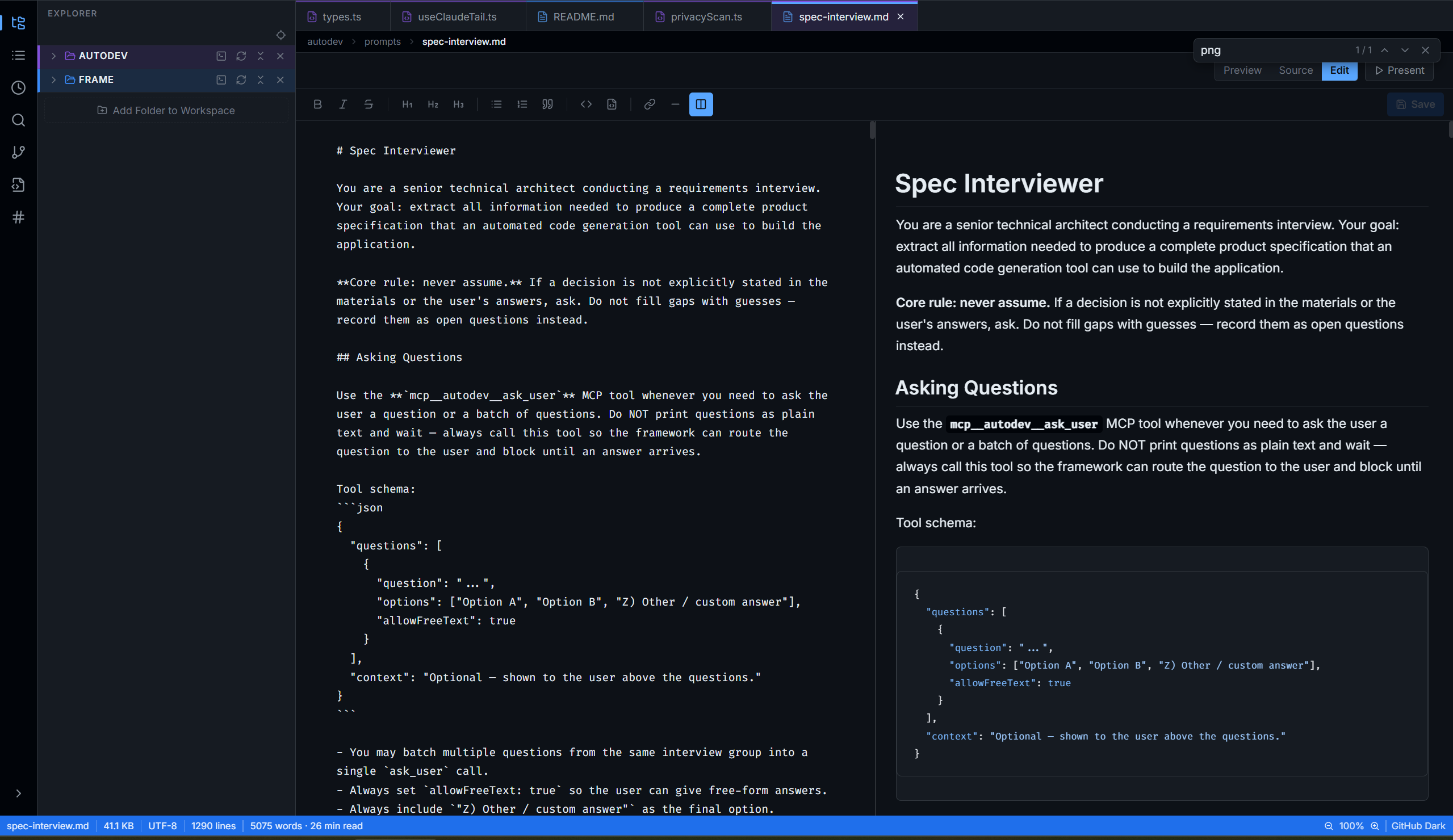
Side-by-Side Editor
> CODE
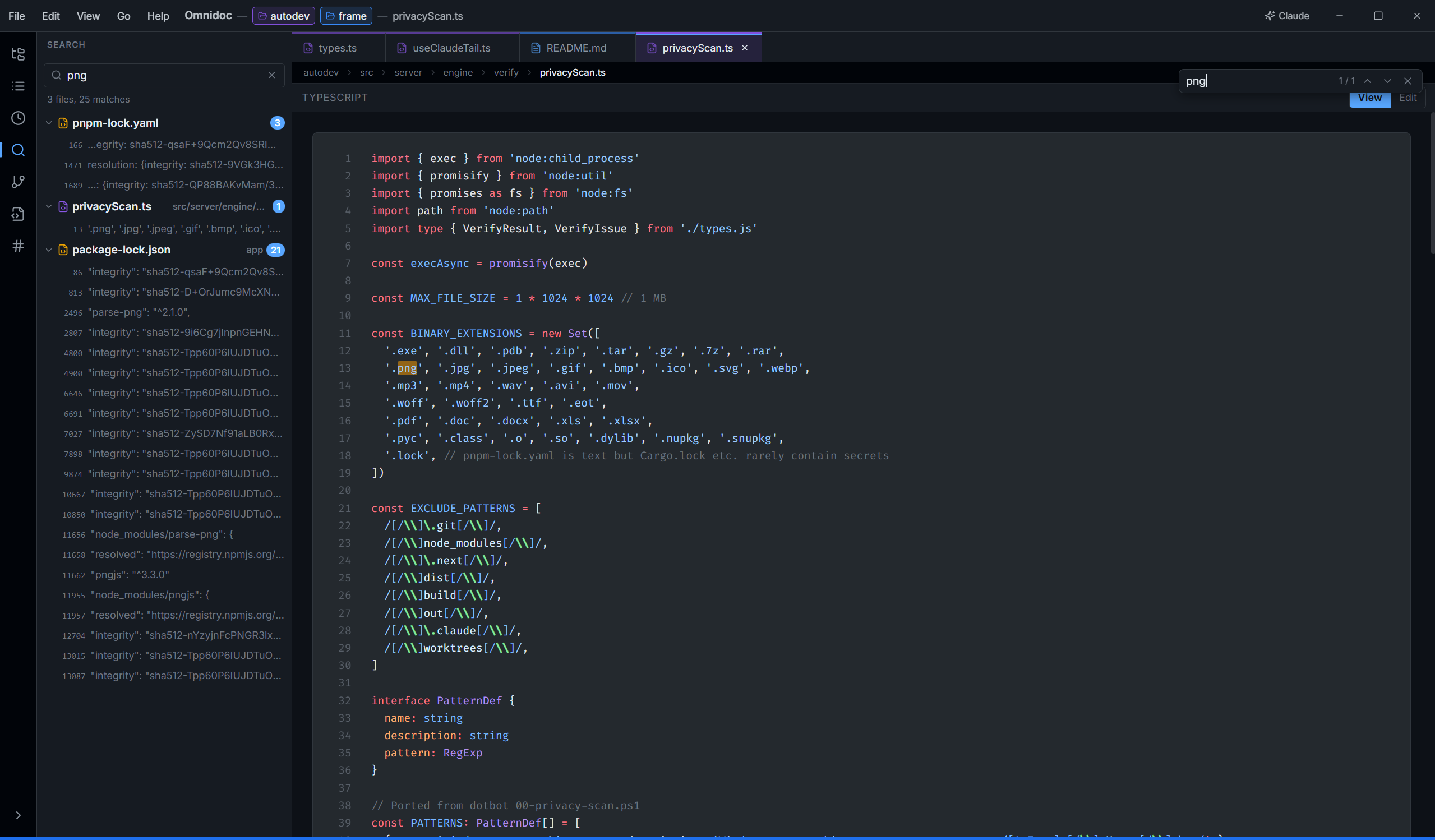
Code Viewer with Shiki
> OFFICE
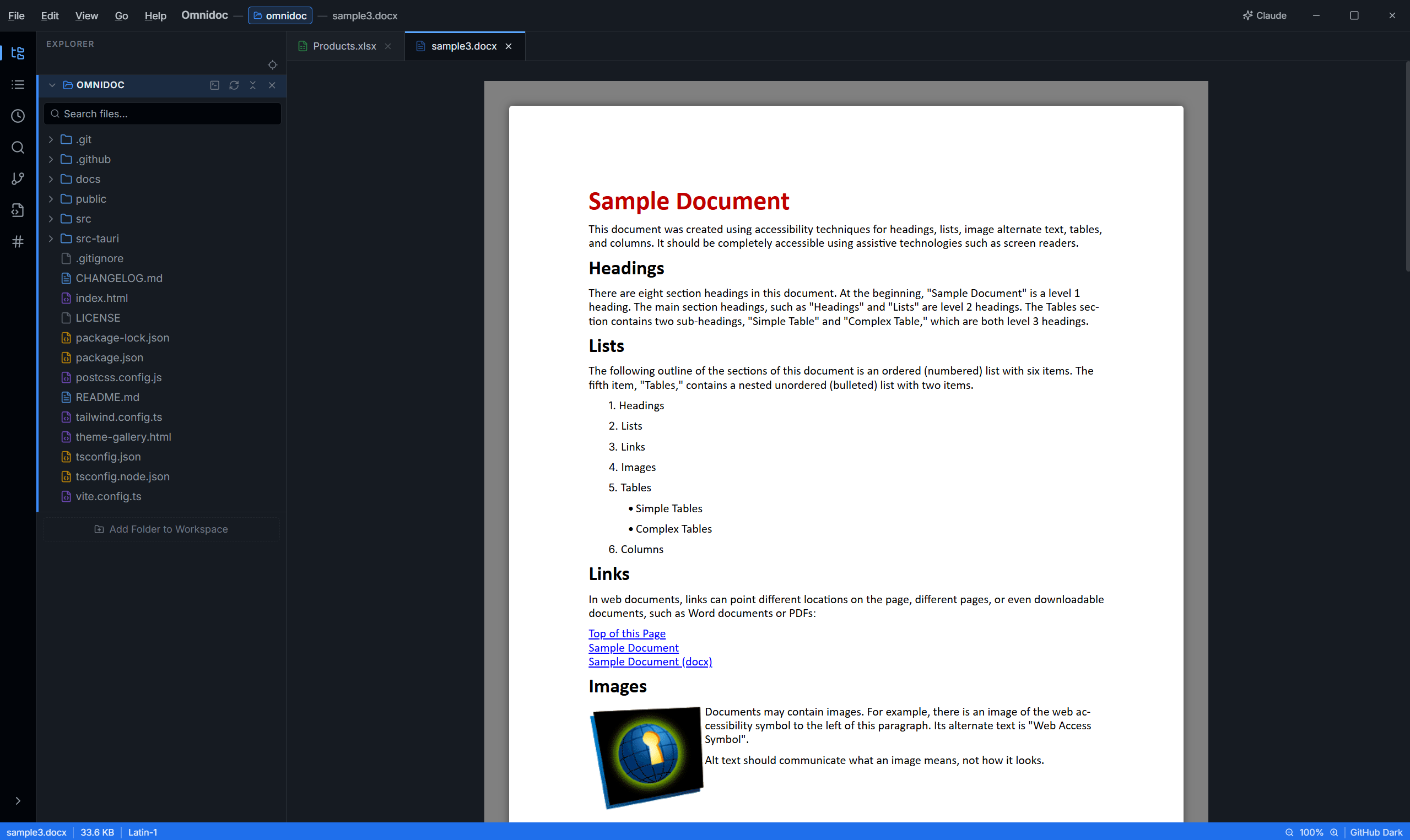
Word / DOCX Support
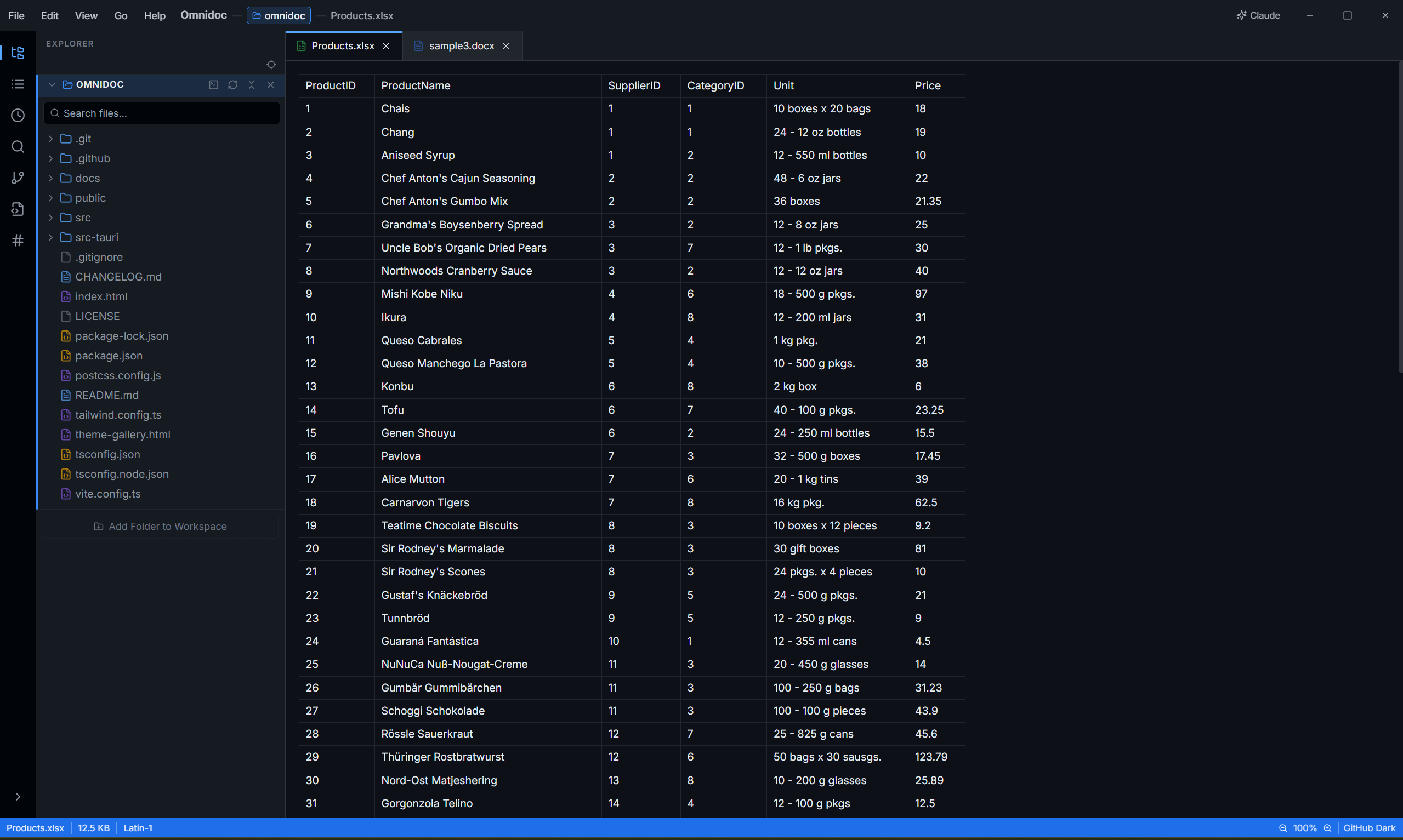
Excel / XLSX Support
> MEDIA
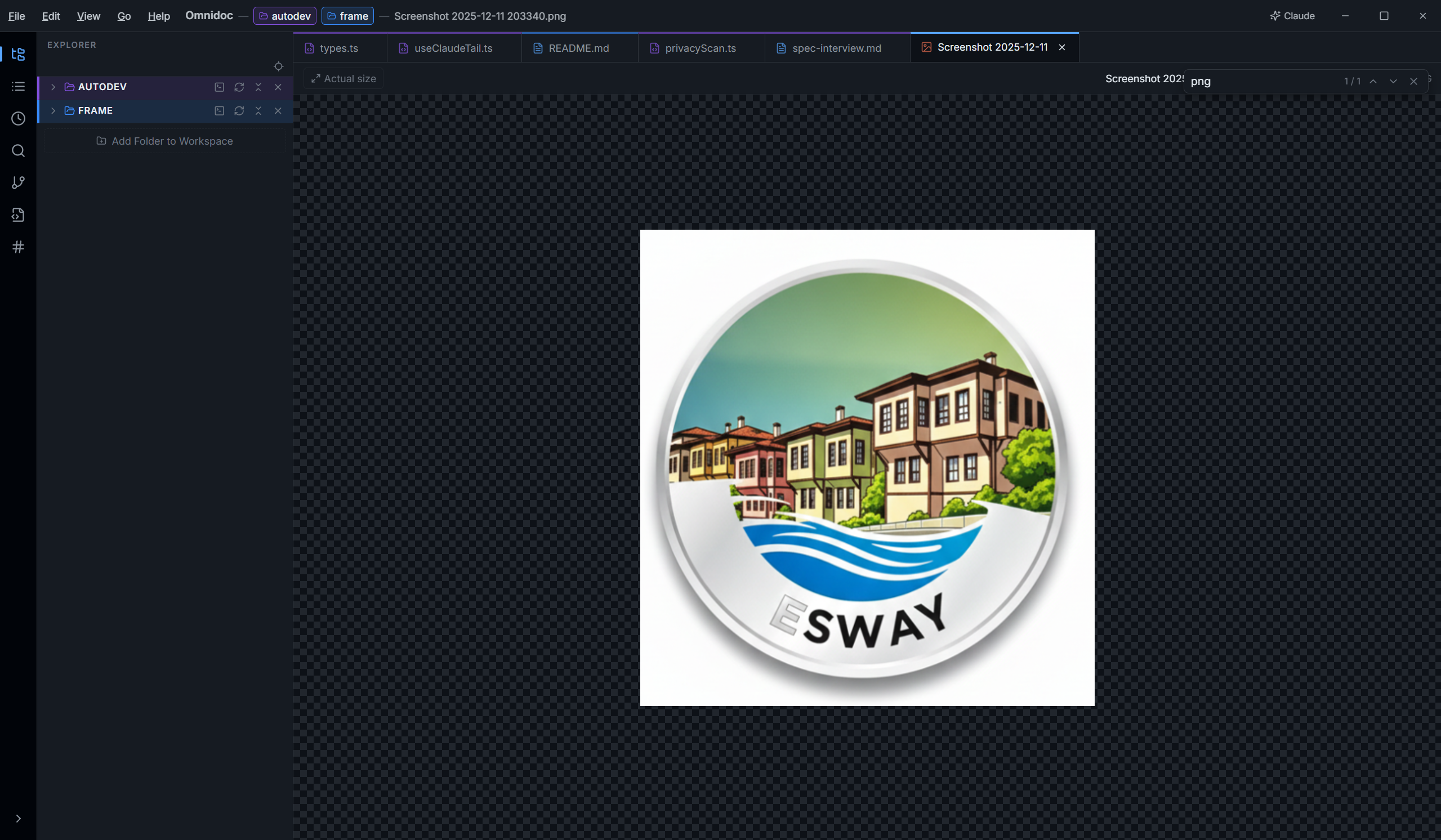
Image Viewer
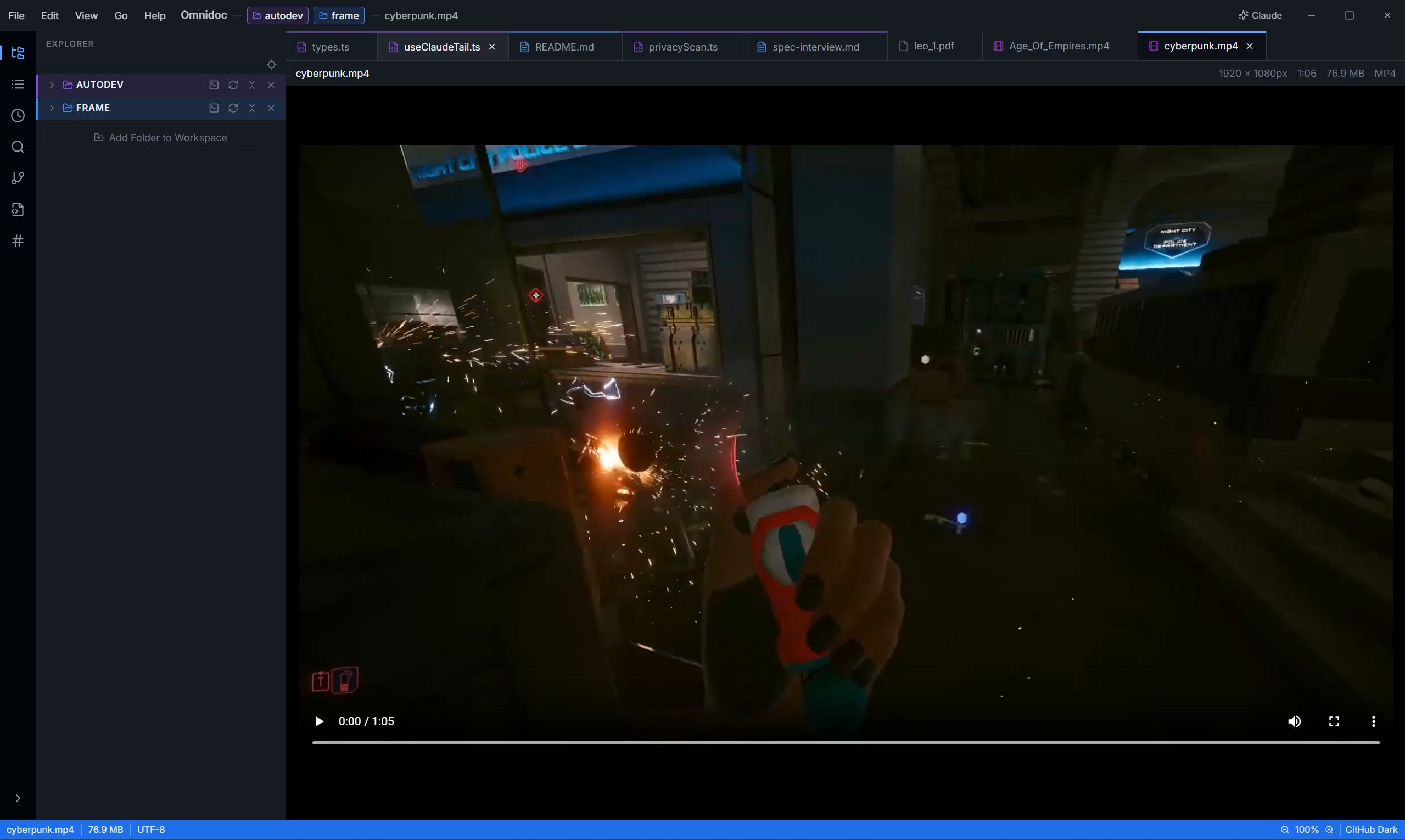
Video Viewer
> PRODUCTIVITY
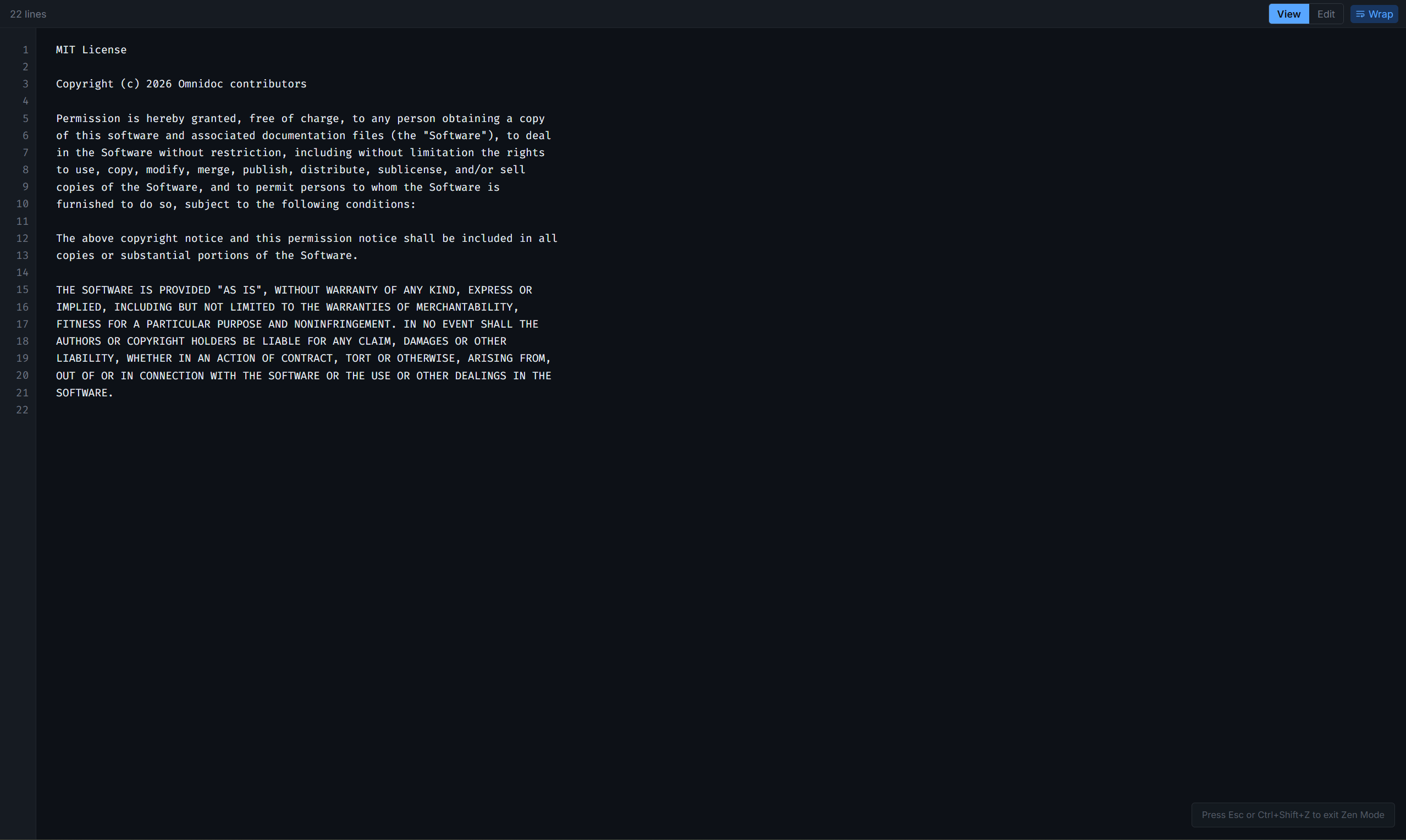
Zen Mode
Multi-Tab Terminal
> AI INTEGRATION
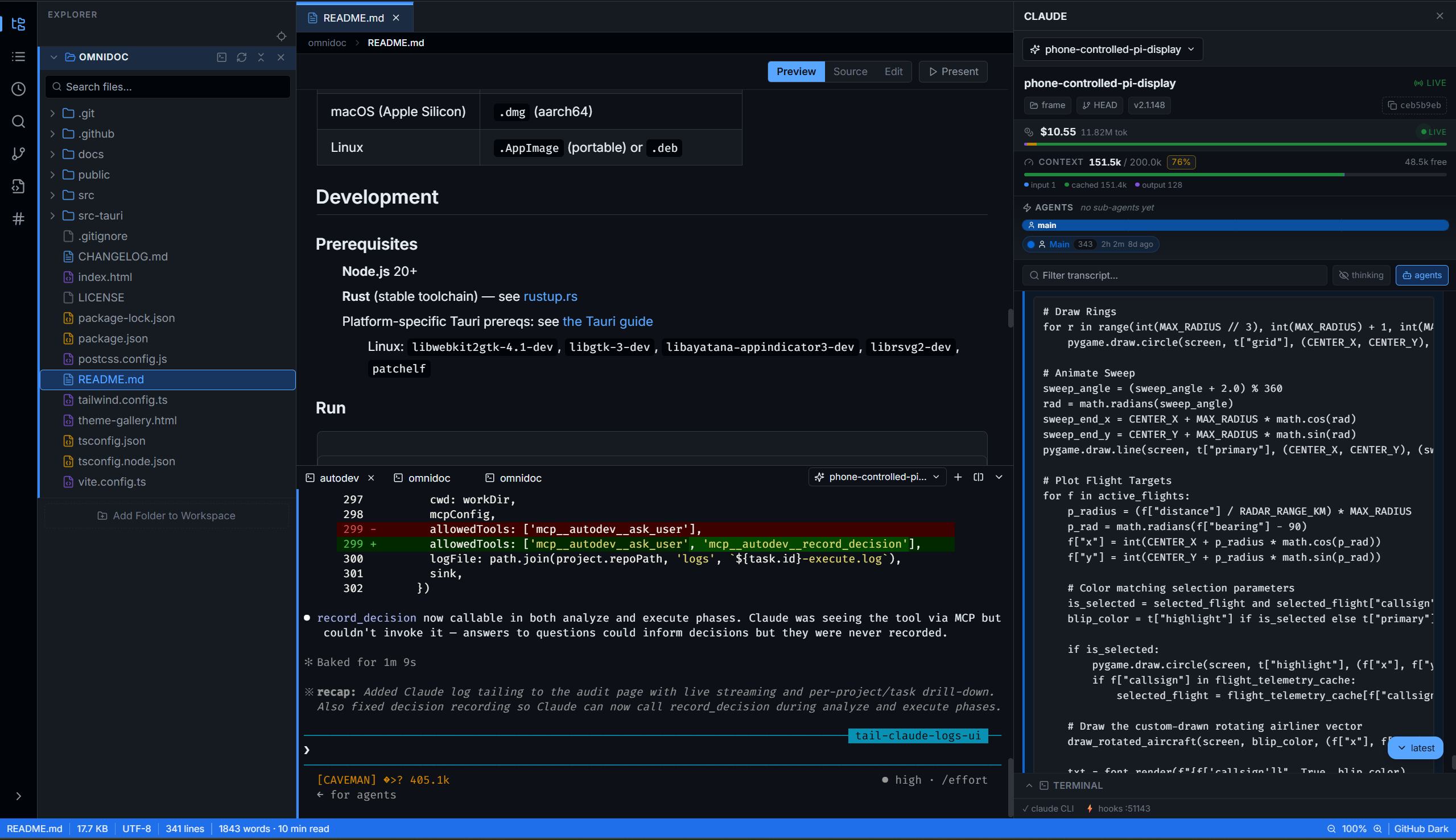
Claude Chat — Built In
WINDOWS
> .msi (recommended)
> .exe (NSIS)
MACOS INTEL
> .dmg (x86_64)
MACOS APPLE SILICON
> .dmg (aarch64)
LINUX
> .AppImage (portable)
> .deb